01
;xbriefStart with a complete build brief
Insert goals, constraints, acceptance criteria, and the questions an AI coding agent should ask before changing code.
 ExpandCaptainGet Founder Lifetime
 Save AI prompts, coding checklists, terminal commands, and repeatable Mac workflows as fast, memorable ExpandCaptain triggers.
ExpandCaptain is a strong fit for vibe coders on Apple devices who repeat prompts, review checklists, commands, and context-setting instructions. It keeps proven building blocks close while leaving every generated result under your review.
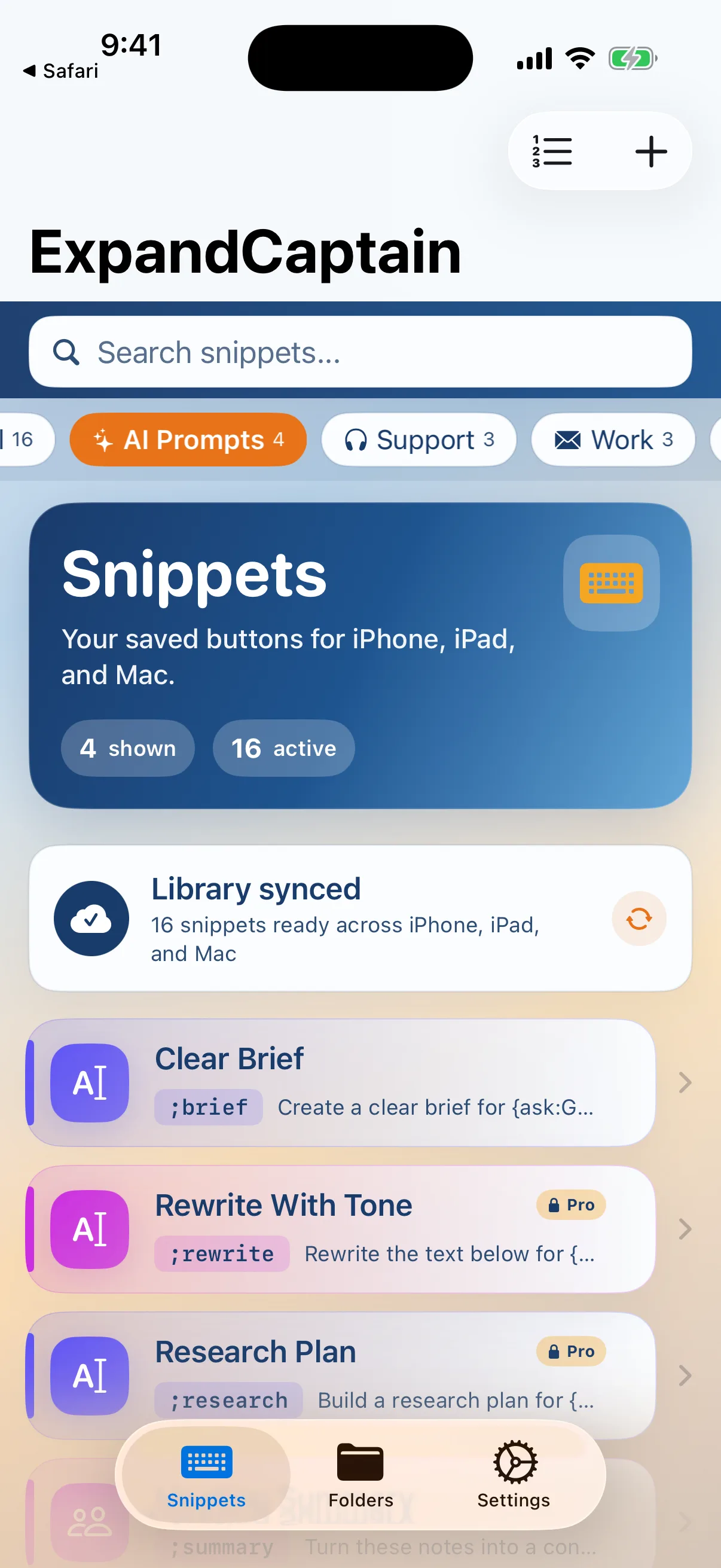
These examples use complete, memorable triggers. A semicolon is optional, and guided fields handle the details that change.
;xbriefInsert goals, constraints, acceptance criteria, and the questions an AI coding agent should ask before changing code.
xreviewReuse your accessibility, security, regression, and edge-case checklist instead of reconstructing it after every build.
;refactorUse guided fields for the file, framework, desired behavior, and boundaries—then place the cursor exactly where your final instruction belongs.
The advantage is not typing a prompt faster once. It is keeping your strongest instructions available across projects, editors, browsers, and AI tools without trusting an AI to remember your standards for you.
One clear comparison for an individual Apple-device user, using published USD prices checked July 17, 2026.
| Elapsed time | ExpandCaptain | Annual alternative | Difference |
|---|---|---|---|
| Year 1 | $24.99 | $39.96 | $14.97 |
| Year 2 | $24.99 | $79.92 | $54.93 |
| Year 3 | $24.99 | $119.88 | $94.89 |
This is a price-model comparison, not a claim of feature parity. TextExpander includes cross-platform and organizational capabilities that may matter to some buyers; ExpandCaptain Founder Lifetime is individual v1 Pro across the purchaser's own Mac, iPhone, and iPad. Prices exclude tax and can change. Sources: CodexCaptain and TextExpander pricing.
No. ExpandCaptain stores and expands your reusable prompts, text, templates, and explicit Mac actions. You choose the AI tool, review its output, and decide what happens next.
Yes. Guided fields such as {ask:Framework} and {ask:Goal} prompt for changing details before the finished text is inserted.
On Mac, explicit clipboard workflows can rewrite, summarize, or wrap copied text. Review the destination and provider before sending sensitive code to any AI service.
No. A trigger can be ;xbrief, ;review, addr, or another memorable string you are unlikely to type by accident.