;xbrief
Clear project briefGoal · audience · constraints
Save what works
A sentence, signature, prompt, form, or multi-step Mac action becomes a reusable snippet.
 ExpandCaptainGet Founder Lifetime
 Turn the words you repeat into shortcuts, guided templates, saved prompts, and runnable Mac workflows. One private library. Every Apple device.
Type ;reply and press Space, or use the button.
A full, human reply from one shortcut
Type the complete saved trigger. A semicolon is not required for every shortcut, but when it is part of the trigger, include it—;reply, ;xbrief, or ;addr.
Dates are calculated when you insert. {date} uses today, {date:+7d} uses seven days ahead, and {ask:Date} asks you each time.
Now imagine the same saved words ready on every Apple device. Type a shortcut in compatible Mac fields, or choose it from the ExpandCaptain keyboard on iPhone and iPad—inside the apps you already use.
ExpandCaptain stays out of the way until you need it—then gives you the exact words, structure, or action you saved.
A sentence, signature, prompt, form, or multi-step Mac action becomes a reusable snippet.
Choose any memorable trigger on Mac—no prefix is required. On iPhone, tap the saved snippet from the keyboard.
You choose what happens next. ExpandCaptain inserts or runs the saved workflow; you stay in control.
Explore the actual ways ExpandCaptain helps work, family, support, and creative writing move faster.
Search or browse saved replies, links, addresses, prompts, and notes without leaving the app you’re using.
 Real ExpandCaptain UI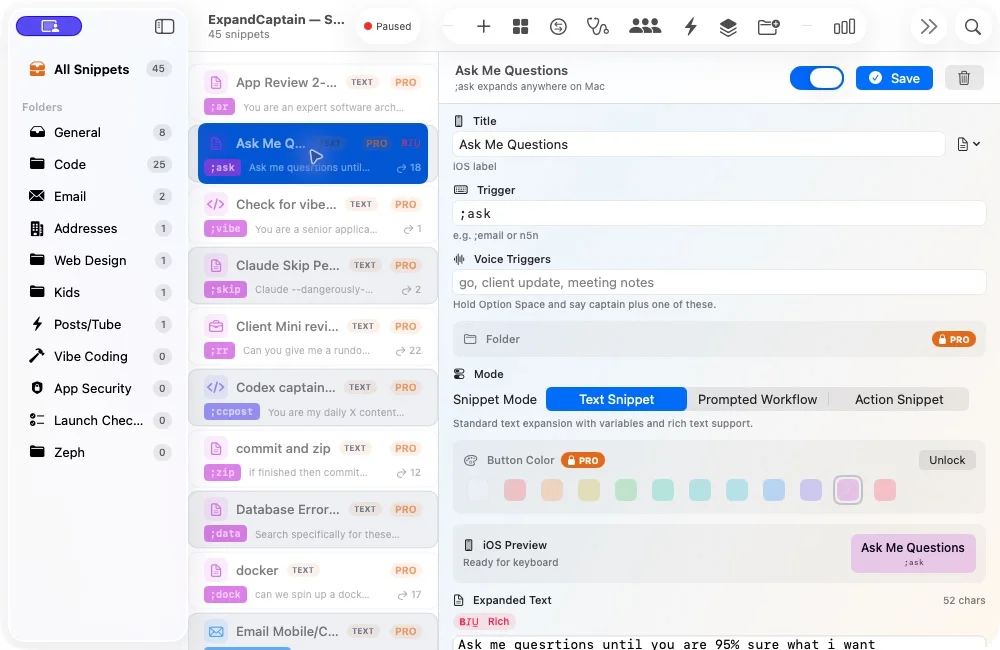
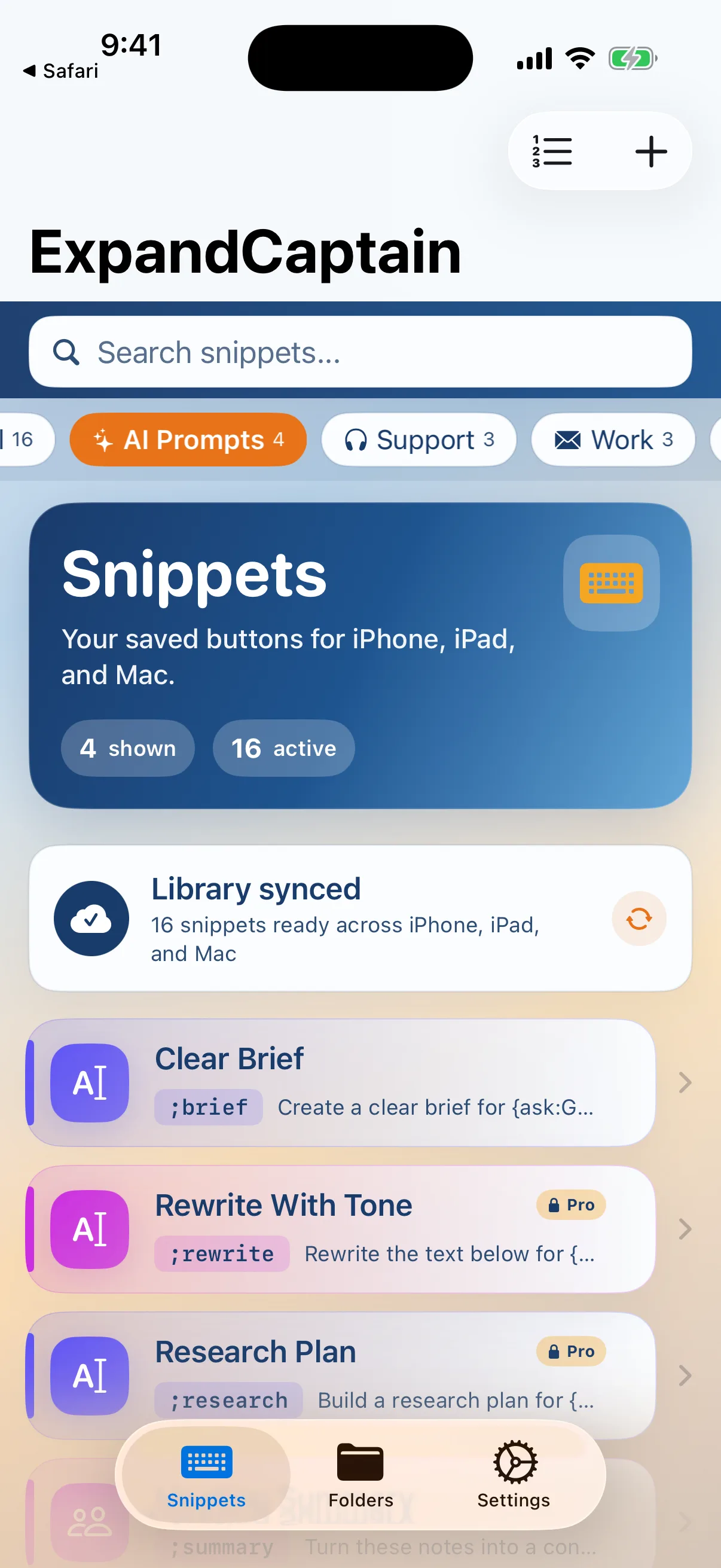
Your snippets stay local to your devices and can sync through your personal iCloud account. Create and organize on Mac; reach for the same library on iPhone and iPad.
Begin with saved text. Grow into templates, precision rules, and user-run automation without moving your writing system somewhere else.
From a tiny trigger to polished text.
A library that stays useful as it grows.
Precision for demanding workflows.
Turn snippets into runnable Mac tools.
Choose a workflow below to see how ExpandCaptain can guide, transform, launch, or operate—always from an explicit action you control.
Start a saved workflow, fill only what changed, and insert a complete response.
Start with the words that already slow you down. ExpandCaptain turns them into a library you can keep improving.
Save research briefs, refactor prompts, requirements interviews, and code-review checklists once.
Keep answers for orders, refunds, billing, and follow-ups close.
Reuse your best structure and fill the deal-specific details.
Keep personal text organized beside work—never mixed up.
Turn repeatable computer work into an action snippet.
Each guide answers the practical questions for one audience, shows real workflows, and lays out the one-year, two-year, and three-year ownership cost.
Prompts, review checklists, commands, and explicit Mac workflows.
Explore the guide →02Fast, guided replies with the human review left intact.
Explore the guide →03Sales, service, scheduling, billing, and everyday operations.
Explore the guide →04Proposals, project updates, meetings, and follow-ups.
Explore the guide →05Addresses, pickup notes, travel details, and household links.
Explore the guide →Ten original guides explain the workflows, platform limits, pricing models, and product differences with dated sources and practical examples.

Understand snippets, freeform triggers, templates, and why iPhone keyboard behavior differs from Mac expansion.
Read the guide →
Compare personal Apple-first ownership with a subscription platform built for individual and managed-team use.
Read the guide →
Learn where custom keyboards work, where Apple blocks them, and what to inspect before enabling Full Access.
Read the guide →Use this quick estimate for repeated replies, links, prompts, signatures, formatting, and workflow setup.
20minutes a day
118-hour workdays
Your words should compound.
Your retyping shouldn’t.
Begin with 14 days of Pro—no payment and no automatic billing. When you’re ready, Founder Lifetime keeps v1 Pro unlocked across Mac, iPhone, and iPad.
No subscription. No renewal. Purchase availability and final checkout terms are shown on CodexCaptain.
Yes. Founder Lifetime is a one-time purchase for ExpandCaptain v1 Pro with no subscription or renewal. Future major-version upgrades remain optional.
Yes. ExpandCaptain includes a 14-day Pro trial with no payment required and no automatic billing. The trial ends automatically; you decide whether to buy later.
You can keep using the free tier with 3 basic snippets, 1 form snippet, 1 variable snippet, iCloud sync, and the iPhone keyboard. Founder Lifetime removes the snippet limits and unlocks the full v1 Pro toolset.
Founder Lifetime is designed for v1 Pro access across all three. Restore the Apple purchase on iPhone or iPad, then use the same CodexCaptain account to restore access in the direct Mac app.
On Mac, typed triggers expand in compatible text fields. On iPhone and iPad, you choose saved text from the custom keyboard and then decide when to send. Some secure fields and app-specific surfaces limit keyboard or automation access by design.
Your snippet content is stored locally and, when enabled, synced through your personal iCloud account. ExpandCaptain does not need to host your snippet library on a third-party content server.
No. Core expansion, templates, folders, search, sync, and automations work without AI. AI is kept to optional, bounded transforms such as rewrite and summarize, with local, bring-your-own-key, and hosted-metered postures in the product.
Yes. ExpandPacks bundle selected snippets and folders into a portable file that can be previewed before import and shared through the transfer method you prefer.